UV printing phone cases / BUYER GUIDE
How to Print Phone Cases with UV Printers: Flat Areas, Fixtures, Adhesion and Batch Setup
Learn how to plan UV printing for phone cases: flat print areas, fixtures, artwork boundaries, adhesion validation, and batch-quality checks.
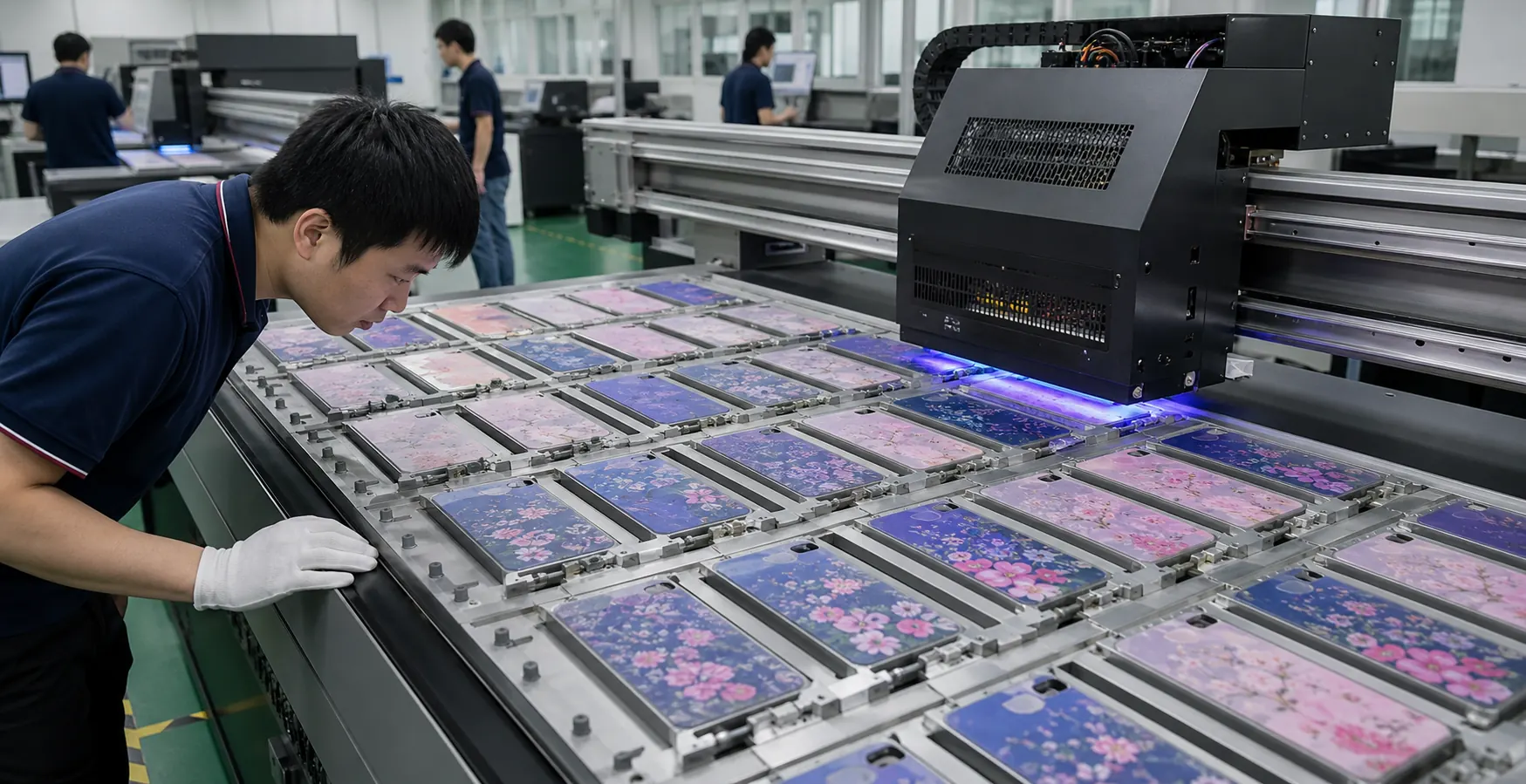
Start with the flat print area, not the product name
Phone cases look similar in a catalog but can differ in resin, coating, wall thickness, texture, camera opening, and local curvature. For direct-to-object printing, the key question is the usable planar area beneath the printhead. A broad, flat rear panel is easier to register and inspect than a case with a deeply recessed logo zone, raised rim, soft bumper, or curved edge.
Ask the product team for a physical blank or accurate drawing before approving artwork. Mark camera cut-outs, flash openings, button edges, raised lips, and any area where the print must stop. The artwork file should include a clear print boundary and a keep-out layer. That prevents a beautiful proof from becoming a difficult production job.
| Pre-production question | Why it matters | Factory action |
|---|---|---|
| Is the rear panel flat? | Determines head clearance and printable area | Measure the real blank and create a print-area drawing |
| What resin and coating are used? | Adhesion varies by surface chemistry | Clean and test the production-equivalent blank |
| Are openings or raised features nearby? | Affects registration and overspray risk | Build keep-out zones and jig references |
| Is the finish matte, gloss, or textured? | Changes visual expectation and rub response | Approve a finished reference sample |
Fixtures turn a one-off print into a batch workflow
A fixture, or jig, holds every case in the same location and height. It is not only a convenience. It establishes the reference point for artwork registration, makes first-off inspection meaningful, and reduces variation as a batch moves across the printer bed.
In a factory test, we first place several cases from the intended production lot in the fixture rather than relying on one “ideal” blank. We check whether the camera opening, rear-panel edge, and case lip stay consistent. If blanks vary, the fixture or artwork boundary may need adjustment before the order is released.
For transparent cases, reflected UV light and the open cavity require extra attention. Positioning, masking, and gap control should be discussed with the machine operator. For all cases, leave clearance between the print edge and a flexing or contact-prone edge unless the approved sample demonstrates that the intended use supports it.
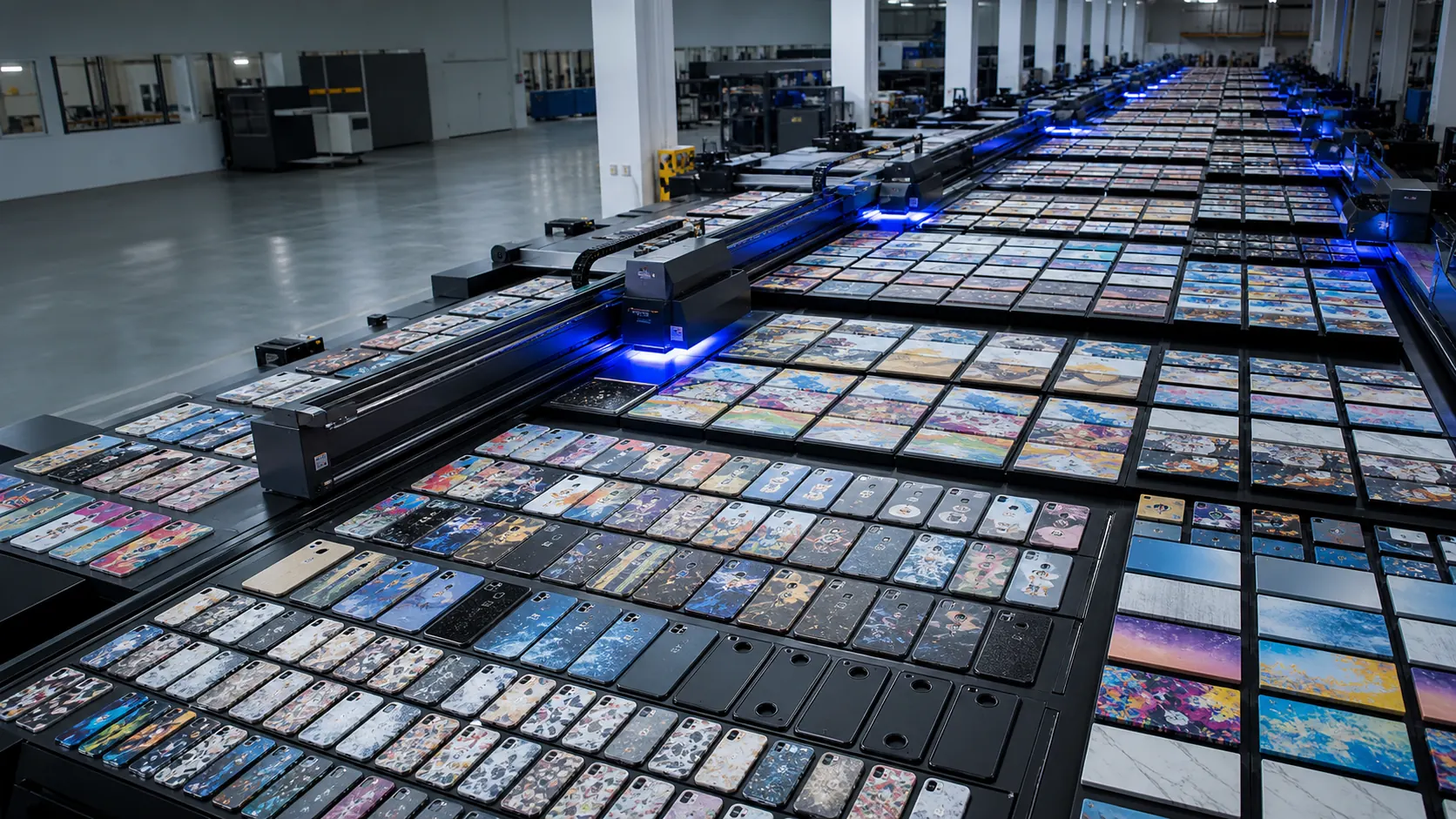
Adhesion is a validation task
UV ink cures quickly, but “cured” is not the same as “suitable for every use.” A case may be carried in a pocket, exposed to skin oils, cleaned, inserted and removed repeatedly, or packed face-to-face. The right test plan depends on those conditions.
Before production, document the blank source, surface preparation, ink and finish direction, cure conditions, and approved reference. Inspect a first-off sample for colour, placement, edge cleanliness, and any visible banding or pinholes. Then handle the sample in a way that resembles the intended use. If the project needs a defined abrasion, chemical, or tape test, agree on the method and acceptance point before the purchase order is finalized.
A practical factory test plan
- Receive production-equivalent case blanks and artwork with marked print boundaries.
- Confirm the planar print area, head clearance, camera opening, and fixture position.
- Produce first-off samples using the planned colour, white, and varnish layers.
- Review colour, registration, surface appearance, and edge distance against the signed reference.
- Run the agreed handling or adhesion check and record observations.
- Use the approved sample as the quality reference for batch inspection and pack-out review.
FAQ
Can a UV printer print on every phone case?
No. Many cases can be evaluated, but resin, coating, texture, geometry, and intended handling determine whether a particular blank is suitable. A sample on the actual production blank is more useful than a generic material claim.
Do I need white ink on a phone case?
White can improve opacity on dark, transparent, or coloured blanks. It is not automatically needed on every light-coloured case. The artwork and desired finish should determine the layer plan.
How close can artwork go to a camera cut-out?
There is no universal distance. The production team should set a keep-out zone after measuring the opening, checking fixture repeatability, and approving a sample.
Technical resources and next steps
Continue with our UV printable materials guide, supplier qualification checklist, and plastic-part QC checklist.
For independent technical background, review Epson's UV flatbed overview, Roland's smartphone-case handling guidance, and Mimaki's adhesion guidance. Validate every production decision on the actual blank and approved sample.
Continue your evaluation